Blog / Technology

Blog

All Technology Model Information Features Local Community Honda CR-V Tips and Tricks Color Options Dealership Information Honda Pilot Honda Civic Honda Accord Honda HR-V Honda Odyssey Just for Fun Honda Ridgeline Service Comparisons Honda Passport Safety Finance Honda Fit Honda Insight Specials Used Cars Parts & Accessories Trade In Avondale Honda Service Earnhardt Honda Service Honda Certified Pre-Owned
Man Using the Hands-Free Power Liftgate on a Silver 2021 Honda CR-V

Step-By-Step Instructions to the Honda Hands-Free Power Tailgate

How To Use the Honda Hands-Free Power Liftgate Have you ever had to try and open your tailgate with a load of groceries? It can prove to be tricky at best. Honda models like the 2021 Honda CR-V that are available with a hands-free power liftgate make loading and unloading cargo simple and safe. Learn how to use the Honda hands-free power liftgate with this quick step-by-step instruction guide. Visit the Earnhardt Honda inventory today to find a Honda crossover, SUV or minivan equipped with the hands-free power liftgate! more READ MORE: Which Honda Models Have Onboard Wi-Fi Avondale AZ? How-To Guide to the Honda Hands-Free Power Liftgate Make Sure You Have the Honda Smart Entry Remote Stand About 2 Feet Behind Your Honda Kick Upward Below the Middle of the Rear Bumper Withdraw Your Foot Downward Below the Middle of the Rear Bumper Do Not Use a Side-to-Side Motion Use the Same Up-and-Back Kicking Motion to Open or Close the Power Liftgate

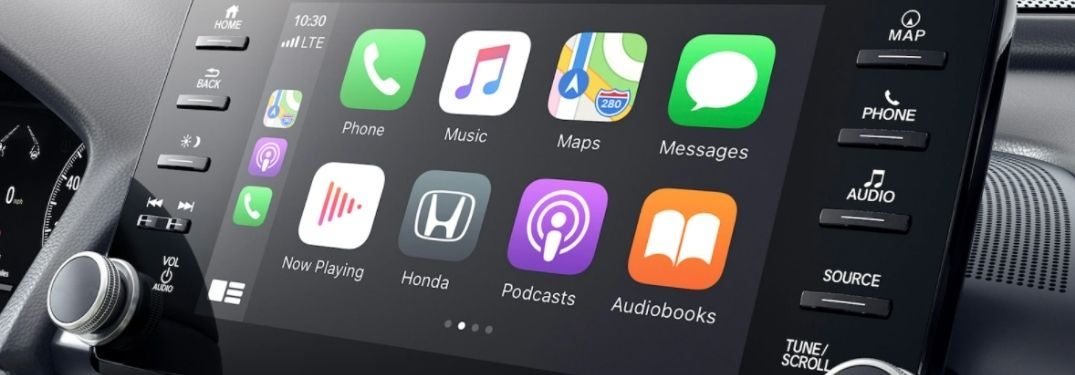
Close Up of 2021 Honda Accord Touchscreen Display with Apple CarPlay

Find a Honda Model with Apple CarPlay in the Avondale, Phoenix, Goodyear, Peoria and Surprise Area

Which Honda Models Are Available with Apple CarPlay Avondale AZ? Do you own an Apple iPhone? Do you enjoy using the convenient apps and features on your iPhone? Expand your capabilities and get behind the wheel of a Honda vehicle that provides access to Apple CarPlay smartphone integration. Families, who love to stay connected on their road trips want to know – which Honda models are available with Apple CarPlay in Avondale, AZ? Find the right Honda fit for your active lifestyle with this guide to Honda models with Apple CarPlay created by Earnhardt Honda. more READ MORE: Which Honda Models Are Available with Android Auto Avondale AZ? What Are the Honda Apple CarPlay Features and Apps? Apple CarPlay provides families with a smarter and safer way to stay connected to their favorite Apple apps and features when they get behind the wheel of a brand-new Honda. Armed with Apple CarPlay, you gain access to your favorite apps via the available Display Audio touchscreen display and an easy-to-use menu. Highlight features of Apple CarPlay integration include the ability to unlock and start your Honda with your iPhone, Apple Maps turn-by-turn navigation, iPhone texts and phone calls, Siri Eyes Free voice-recognition, Apple Music and your Apple Calendar. Popular iPhone apps accessible via Apple CarPlay include iHeartRadio, Stitcher, Pandora, CBS Radio, Radio Disney, Amazon Music and many more. List of Honda Models with Apple CarPlay at Earnhardt Honda Apple CarPlay is available via select Honda models that are equipped with the Display Audio infotainment system, which provides one-touch access to apps via the color touchscreen display. Availability of the Display Audio touchscreen infotainment system and Honda Apple CarPlay will vary by trim level. Here is a list of Honda models available with Apple CarPlay. 2021 Honda HR-V 2021 Honda CR-V 2021 Honda CR-V Hybrid 2021 Honda Passport 2021 Honda Pilot 2021 Honda Ridgeline 2020 Honda Fit 2021 Honda Civic Sedan 2020 Honda Civic Coupe 2021 Honda Civic Hatchback 2021 Honda Civic Type R 2021 Honda Accord 2021 Honda Accord Hybrid 2021 Honda Insight 2021 Honda Clarity Plug-In Hybrid 2022 Honda Odyssey READ MORE: How To Set Up and Use Apple CarPlay in Your Honda Which Honda models are available with Apple CarPlay in Avondale, AZ? Find the right fit for you and your family of Apple iPhone users with this in-depth guide created by Earnhardt Honda. Explore the Earnhardt Honda online inventory today to find the perfect match for your lifestyle and budget!

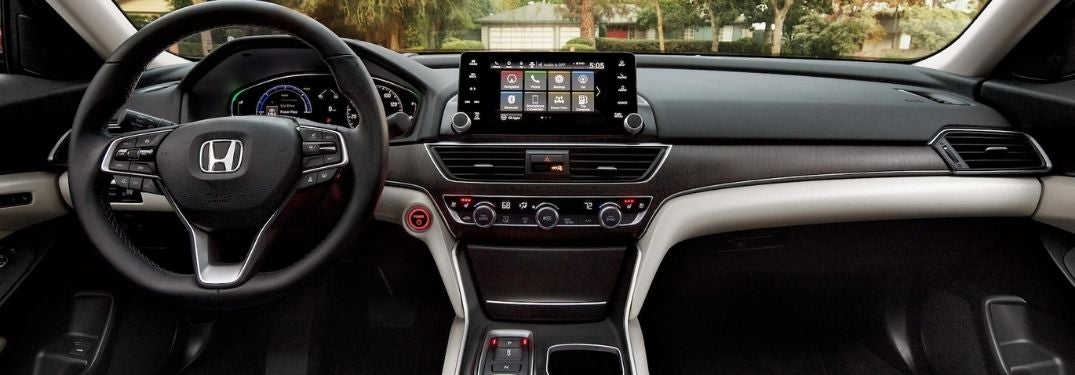
2021 Honda Accord Steering Wheel, Dashboard and Display Audio Touchscreen

Android Auto Improves Entertainment and Connectivity in Select Honda Models

Which Honda Models Are Available with Android Auto Avondale AZ? Are you like a lot of us? Do you always find yourself with your smartphone in your hand? Add the capability, entertainment and connectivity of your Android device to your day-to-day commute with Android Auto capabilities in select Honda models. Fans of the Honda brand want to know – which Honda models are available with Android Auto in Avondale, AZ? Find out with this quick guide created by Earnhardt Honda! more READ MORE: Which Honda Models Are Available with AWD in Avondale AZ? What Does Android Auto Do in Your Honda? Android Auto allows you to pair your Android device with the Display Audio touchscreen infotainment system in many Honda models. With this connection, you will gain access to your favorite Android mobile apps, services and capabilities via the Display Audio touchscreen display and Honda voice-recognition software – which allows you to keep your eyes on the road at all times. Honda models with access to Android Auto will provide access to Google Assistant technology, Google Maps navigation, voice-recognition texting and Google Music. Mobile apps that you can access via Android Auto include Waze, Spotify, iHeartRadio, Google Play Book, Podcast Addict, Facebook Messenger, Pandora and any apps available on Google Play. List of Honda Models Available with Android Auto 2020 Honda Fit – Sport, EX and EX-L Trim Levels 2021 Honda Civic Sedan – Sport, EX, EX-L and Touring Trim Levels 2021 Honda Civic Hatchback – Sport, EX and Sport Touring Trim Levels 2020 Honda Civic Coupe – Sport, EX and Touring Trim Levels 2021 Honda Civic Type R – All Trim Levels 2021 Honda Insight – EX and Touring Trim Levels 2021 Honda Accord – All Trim Levels 2021 Honda Accord Hybrid – All Trim Levels 2021 Honda Clarity Plug-In Hybrid – All Trim Levels 2021 Honda Clarity Fuel Cell – All Trim Levels 2021 Honda Odyssey - EX, EX-L, Touring and Elite Trim Levels 2021 Honda HR-V – Sport, EX and EX-L Trim Levels 2021 Honda CR-V – EX, EX-L and Touring Trim Levels 2021 Honda CR-V Hybrid – All Trim Levels 2021 Honda Passport – All Trim Levels 2021 Honda Pilot – EX, EX-L, Special Edition and Touring Trim Levels 2021 Honda Ridgeline – All Trim Levels READ MORE: Which Honda Models Have Onboard Wi-Fi in Avondale AZ? Which Honda models are available with Android Auto in Avondale, AZ? Find a Honda car, truck or crossover that is equipped with Android Auto smartphone integration with this guide to Android Auto and the Honda lineup. Visit the Earnhardt Honda online inventory today to find a Honda-brand model that will fit your lifestyle!

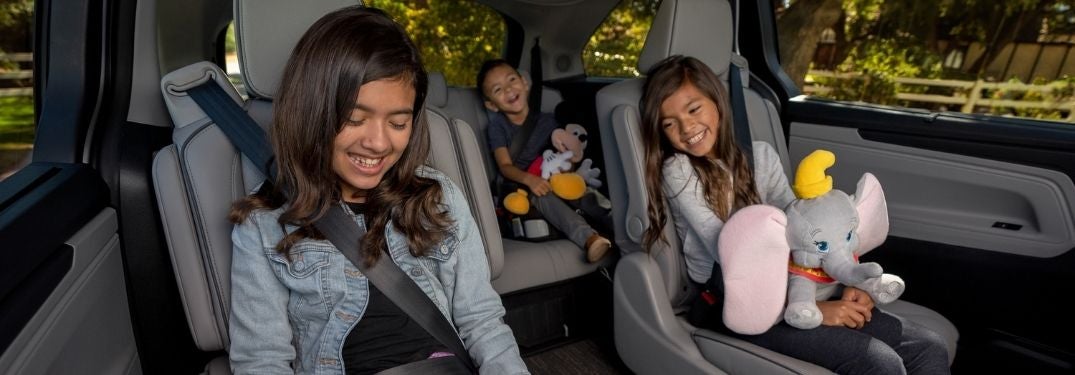
Kids in the Backseat of the 2021 Honda Odyssey

Step-By-Step Instruction Guide to the Honda Rear Seat Reminder

How To Use the Honda Rear Seat Reminder The Honda Rear Seat Reminder is an added asset for families on the go and is a highlight of the 2021 Honda Odyssey and the 2021 Honda Accord. Armed with this updated technology, many families want to know how to use the Honda Rear Seat Reminder. We are here to help at Earnhardt Honda with this step-by-step instruction guide. Find a Honda model with Rear Seat Reminder today when you visit the Earnhardt Honda inventory! more READ MORE: How Do Honda Odyssey CabinTalk® and CabinWatch® Work? How-To Guide to Honda Rear Seat Reminder Press the HOME Button Select SETTINGS Select VEHICLE Select METER SETUP Select REAR SEAT REMINDER Select ON/OFF

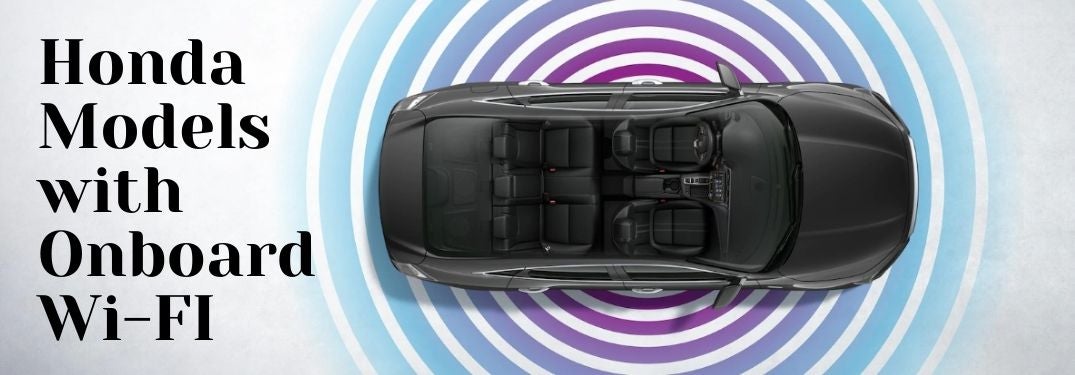
Overhead View of 2021 Honda Insight Interior with Wi-Fi Waves and Black Honda Models with Onboard Wi-Fi Text

Select Honda Models Improve Connectivity with Onboard Wi-Fi Hotspot at Earnhardt Honda

Which Honda Models Have Onboard Wi-Fi Avondale AZ? Do you love to stay connected to the internet when you and your family go on an adventure? Equipped with Honda Display Audio touchscreen infotainment systems, select Honda models will provide families with access to a Honda onboard Wi-Fi hotspot. Families who are interested in access to Wi-Fi in their vehicle want to know – which Honda models have onboard Wi-Fi in Avondale, AZ? Find out with this guide to Honda models created by Earnhardt Honda. more READ MORE: How To Customize the Honda Driver Information Interface Honda Models Available with an Onboard Wi-Fi Hotspot in the Avondale Area More and more Honda models are adding access to onboard Wi-Fi to the spec sheet at Earnhardt Honda. Are you looking for a Honda car, truck or crossover with access to Wi-Fi? Onboard Wi-Fi in Honda models is available via an AT&T data plan and will keep up to seven devices connected to the internet with the ability to stream media, browse the internet and share on social media. A Wi-Fi hotspot in your Honda vehicle will help you stay connected no matter where your next adventure may take you. Access to Honda onboard Wi-Fi will vary by the trim level you choose. Contact the Earnhardt Honda team for more information on Honda onboard Wi-Fi capabilities. 2021 Honda Pilot 2021 Honda Odyssey 2021 Honda Passport 2021 Honda Insight 2021 Honda Accord 2020 Honda Civic Sedan 2020 Honda CR-V 2020 Honda Clarity 2020 Honda Fit 2020 Honda HR-V 2021 Honda Ridgeline READ MORE: What Are the Honda Sensing® Safety Features and Systems? Which Honda models have onboard Wi-Fi in Avondale, AZ? Find a Honda car, truck or crossover that is equipped with a Wi-Fi hotspot with this quick guide to the Honda model lineup and stay connected to your favorite music, videos and social media platforms no matter where your family road trips might lead. Visit the Earnhardt Honda online inventory today to find a model that meets your needs!

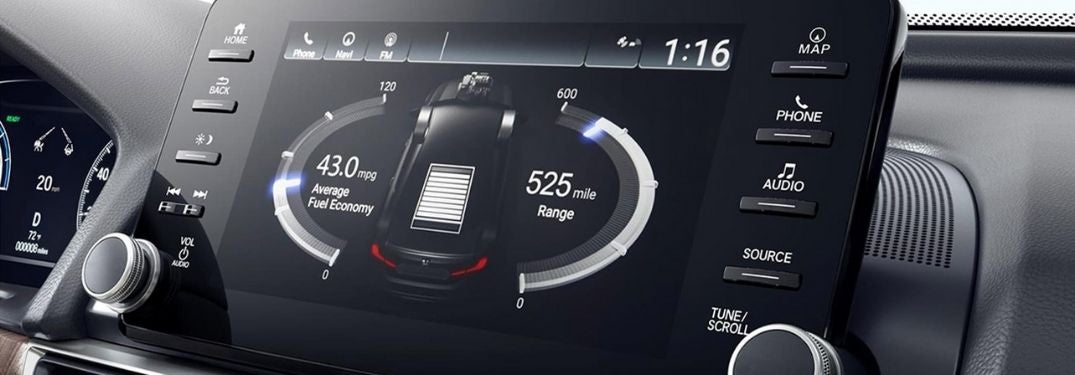
Close Up of 2021 Honda Accord Display Audio Touchscreen Display

Step-By-Step Instructions To Set the Clock in Your Honda

How To Change the Clock and Time Settings in Your Honda Daylight Savings has come and gone. Have you reset the clock in your new Honda CR-V yet? We are here to help at Earnhardt Honda if you are struggling to set the clock in your Honda car, truck or crossover. Use this quick step-by-step instructional guide to learn how to change the clock and time settings in your Honda. Find a Honda that will meet your family's needs today when you visit the Earnhardt Honda online inventory! more READ MORE: How To Connect to Honda Display Audio Bluetooth How-To Guide to Clock Settings in Your Honda Put Your Honda Car, Truck or SUV in Park Touch the Clock on the Display Audio Touchscreen Select CLOCK ADJUSTMENT or Other Clock Settings Use the Up/Down Arrows to Change the Time Press OK

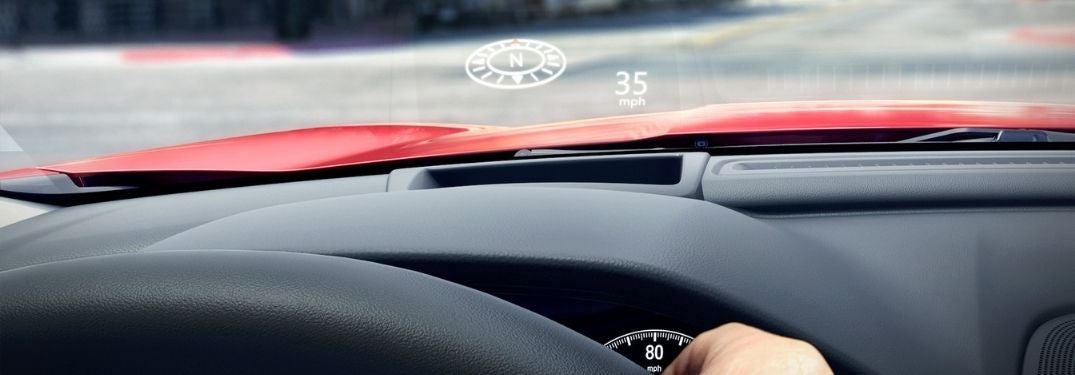
Close Up of Honda Accord Head-Up Display

Step-By-Step Instructions to the Honda Head-Up Display Features

How To Setup and Use the Honda Head-Up Display Technology is a highlight of the Honda brand and models like the 2020 Honda Accord possess an impressive list of technology features that include an innovative Head-Up Display. The Honda Head-Up Display projects vital driving information onto the windshield in front of the driver, allowing you to keep your eyes on the road at all times. Find a Honda model equipped with the Head-Up Display today when you explore the Earnhardt Honda online inventory! more READ MORE: How To Customize the Honda Driver-Information Display How-To Guide to the Honda Head-Up Display Press the HUD Button Located Left of the Steering Wheel Use the Up/Down Arrows Next to the HUD Button to Adjust the Display Height Press and Hold the HUD Button and Use Arrows to Adjust Brightness Use the Steering Wheel HUD Button to Choose Information Displayed

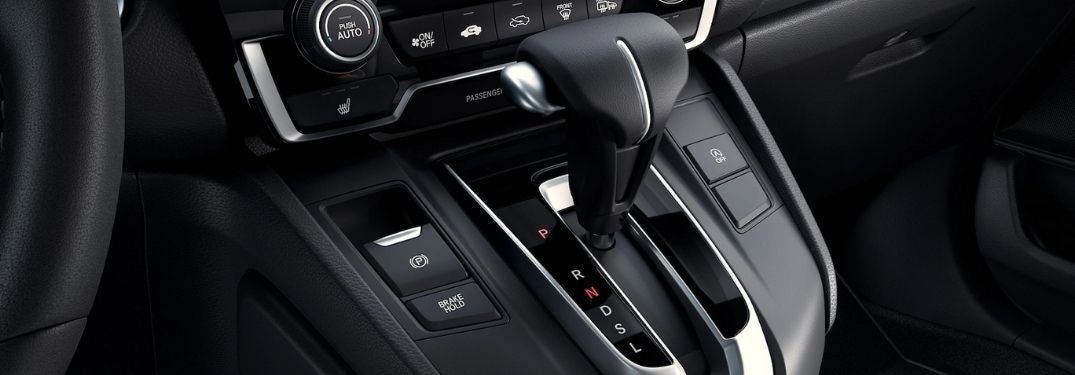
2020 Honda CR-V Gear Shifter

Differences Between a Continuously Variable Transmission and Automatic Transmission

What Are the Benefits of a Honda Continuously Variable Transmission? Did you know that many Honda models are equipped with a Continuously Variable Transmission (CVT)? Honda CVTs are designed to create a smooth drive and improve fuel economy with an innovative design. Drivers interested in models like the 2020 Honda CR-V want to know more about the differences between the Honda CVT and an automatic transmission and want to know – what are the benefits of a Honda Continuously Variable Transmission? Find out with this overview created by Earnhardt Honda! more READ MORE: How Far Can You Drive Your Honda Car, Truck or Crossover on Empty? How Does a Continuously Variable Transmission Work? Continuously Variable Transmissions are available in three variants – Pulley, Toroidal and Hydrostatic. Pulley-operated CVTs are the most common and use a pair of pulleys to connect to the engine and the wheels to create an infinite number of gears. Toroidal CVTs employ a set of rotating discs on rollers while Hydrostatic CVTs use pumps and fluid to create rotation. With this mechanical combination, the Honda CVT provides drivers with an infinite number of gears – compared to an automatic or manual transmission that have a set number of gears. Honda Continuously Variable Transmissions have an infinite number of gears – which means that your engine does not have to search for the right gear when you accelerate and can match the gear to the engine RPMs. As a result, many Continuously Variable Transmissions will provide smoother acceleration and better fuel economy when compared to select automatic transmissions. READ MORE: How Does Honda Real Time AWD™ Work? What are the benefits of a Honda Continuously Variable Transmission? Find out how the CVT employed by many Honda models can upgrade performance when you get behind the wheel. Visit the Earnhardt Honda online inventory today to find the right fit for your driving style!

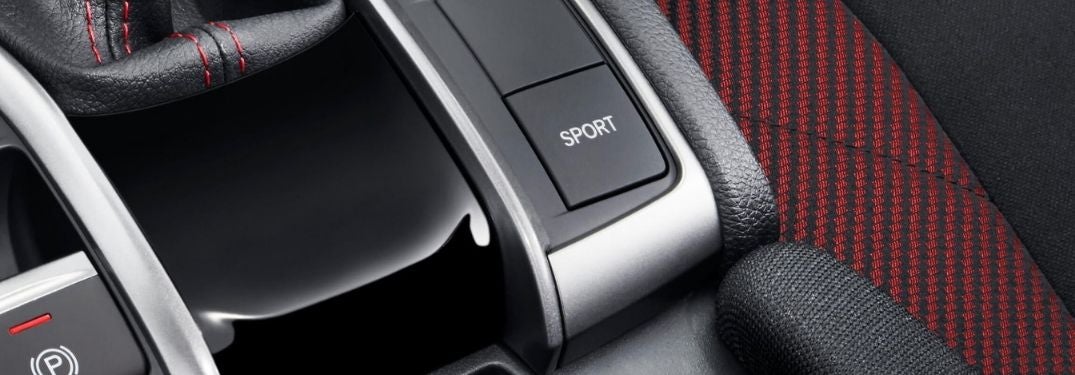
Close Up of 2020 Honda Civic Si Sport Mode Button

What Does Sport Mode Do in Your Honda Vehicle?

How Does the Honda Sport Mode Work? Many drivers want more from their vehicle than just a calm ride from A to B – they want heart-pounding power, precision handling and exhilarating performance. Honda vehicles with Sport Mode will help add an element of performance to your day-to-day commute and many drivers want to know – how does the Honda Sport Mode work? Find out how Honda Sport Mode will upgrade your drive in the new Honda Accord at Earnhardt Honda! more READ MORE: How To Use Honda Intelligent Traction Management What Is the Honda Sport Mode and How Does it Work? Do you want to amp up performance in your new Honda CR-V? Honda Accord, Honda CR-V, Honda Civic Si and more Honda models provide drivers with an available Sport Mode that makes it easy for you to upgrade your daily drive at the touch of a button. Honda models with the available Sport Mode will have a button located on the center console. When Sport Mode is activated, a Sport Mode indicator will appear on the driver information display. Press the Sport Mode button to activate and press again to deactivate the mode. Honda Sport Mode will be turned off when you when you start the engine – even if you used Sport Mode the last time you drove. When you choose Honda Sport Mode, it will enhance throttle and engine response to give you more power, will sharpen steering to improve handling and will adjust suspension stiffness in models equipped with the adaptive damper system. In addition to the Honda Sport Mode, many models are available with steering wheel-mounted paddle shifters that give you the freedom to change gears on your own and enhance the level of performance you experience. READ MORE: How Far Can Your Honda Drive on Empty? How does the Honda Sport Mode work? Find out how Honda Sport Mode works and how it will enhance your automotive experience with this quick overview by Earnhardt Honda. Explore the Earnhardt Honda online inventory today to find a Honda model with Sport Mode!

Close Up of 2020 Honda CR-V Steering Wheel and Driver Information Interface

Step-By-Step Instructions to Personalize the Honda Driver Information Interface

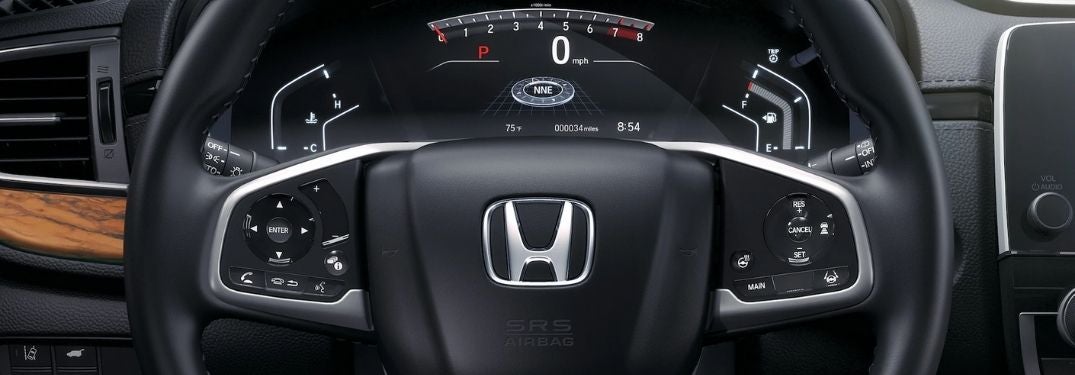
How To Customize the Honda Driver Information Interface The Honda Driver Information Interface is an important feature in your 2020 Honda CR-V that will provide you with vital information that includes speed, fuel economy, AWD settings, navigation and more. Honda models equipped with the Driver Information Interface will give you the ability to personalize the display to fit your needs with different apps. Use this quick step-by-step instructional guide to learn how to customize the Honda Driver Information Interface in your Honda. Visit the Earnhardt Honda online inventory today to find a model that fits your lifestyle and budget! more READ MORE: How To Set Up and Use Apple CarPlay and Android Auto in Your Honda How-To Guide to the Honda Driver Information Interface Use Up/Down Arrows to Navigate Driver Information Interface Apps Use the ENTER Button to Select an App Select SETTINGS and Press Enter Select ARRANGE APPS and Press Enter Select the App You Want to Move and Press Enter Use Up/Down Arrows to Move the App and Press Enter

Honda Odyssey CabinWatch on Touchscreen Display

New 2021 Honda Odyssey Features CabinTalk® and CabinWatch® Technology

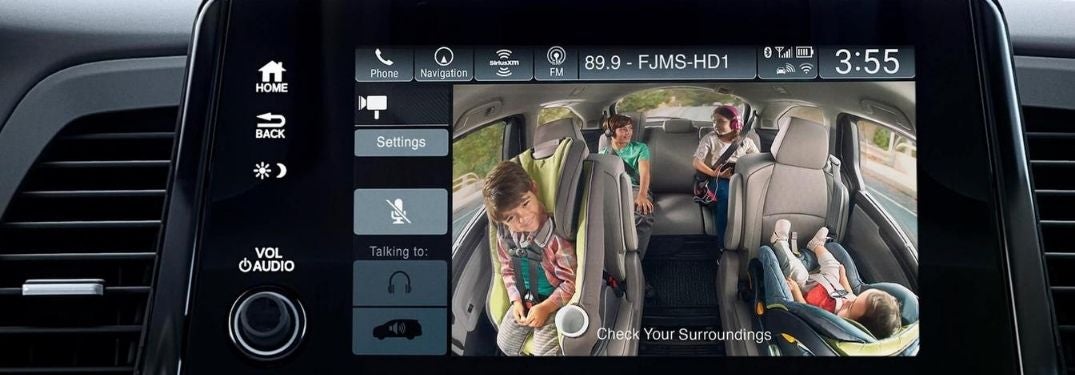
How Do the Honda Odyssey CabinTalk® and CabinWatch® Features Work? Are you planning your next family adventure? The Honda Odyssey may be the right fit for you and your family. Born and bred for family road trips, the 2021 Honda Odyssey and its predecessors are available with Honda CabinTalk® and Honda CabinWatch® technology that will help parents keep kids in line on family vacations. Avondale-area families interested in the Honda Odyssey may want to know - how do the Honda Odyssey CabinTalk® and CabinWatch® features work? Find out more at Earnhardt Honda! more READ MORE: What Are the Honda Sensing® Safety Features? What Is Honda CabinTalk® and How Does it Work? Have you ever tried to talk to your kids in the third-row seat? It can be a real struggle when they are fighting, yelling or crying. Maybe they are listening to music or watching a video on their iPad? Honda CabinTalk® is a useful feature for families with kids who like to ride in the third row. The Honda CabinTalk® feature allows you to utilize Bluetooth voice-command technology and an in-car PA system to project parental commands via the Honda Odyssey speaker system, Honda wireless headphones and wired headphones in the third row. When the Honda Odyssey Blu-ray Rear Entertainment System or Honda streaming apps are in use, Honda CabinTalk® will pause the program while you communicate with your kids. What Is Honda CabinWatch® and How Does it Work? Have you ever wondered what kind of shenanigans your kids are up to in the third row? Do you want to know if your kids are asleep? Honda CabinWatch® is an innovative feature that will give you the answers you are looking for and will allow you to monitor your children. Honda CabinWatch® employs a ceiling-mounted and centrally located camera that provides an overhead view of the Honda Odyssey rear seats. Use the Display Audio touchscreen and tap the CabinWatch® icon for an unobstructed view of the rear seats with a zoom function. CabinWatch® will allow you to see children in rear-facing car seats and ensure that all of your passengers are wearing their seatbelts at the touch of a button. Infrared LEDs will allow you to check on your kids at night when the cabin is dark. READ MORE: How To Connect to the Honda Wi-Fi Hotspot How do the Honda Odyssey CabinTalk® and CabinWatch® features work? Find out how family-friendly features like Honda CabinTalk® and Honda CabinWatch® can help you enjoy your next road trip with this overview. Visit the Earnhardt Honda online inventory today to find a Honda Odyssey equipped with CabinTalk® and CabinWatch®!

Close Up of 2020 Honda Passport Display Audio Navigation

Step-By-Step Instructions To Use Navigation Features in Your Honda

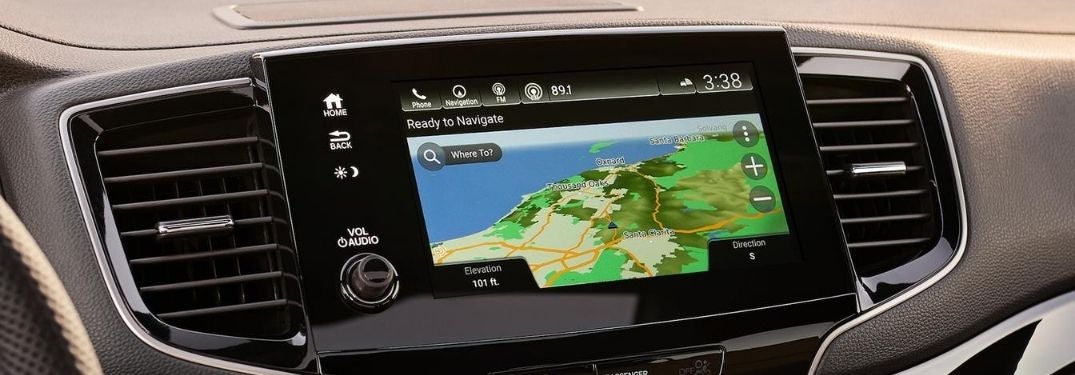
How To Use Display Audio Navigation in Your Honda Are you planning a family road trip? Accurate navigation is a key to any adventure and 2020 Honda CR-V models equipped with Display Audio and a built-in satellite-linked navigation system will help you find your destination. Adventurers who are new to the Honda brand may want to learn how to use Display Audio Navigation in their Honda with this step-by-step guide created by Earnhardt Honda. Explore the Earnhardt Honda online inventory today to find a Honda car, truck or crossover equipped with Honda satellite-linked built-in navigation! more READ MORE: How To Use the Honda Wi-Fi Hotspot How To Set a Destination with Honda Navigation Press the Navigation Icon on the Display Audio Touchscreen Press WHERE TO Enter the Desired Address in the Search Bar Select D ONE and G O to Start Navigation How To Find a Destination with Honda Navigation Select the Categories Icon in the Navigation Menu Choose Your Desired Category – Restaurants, Shopping, Gas Stations Etc. Select a Subcategory and Find Your Desired Destination How To Use Honda Navigation Voice Commands Press the Talk Button on the Steering Wheel Say NAVIGATION and FIND ADDRESS Say the Street Address, City and State Say the Number by the Desired Location on the Touchscreen Display Say GO to Begin Navigation

Contact Us

Fill out this form below and we'll contact you shortly
*Required Fields