Blog / Technology

Blog

All Technology Model Information Features Local Community Honda CR-V Tips and Tricks Color Options Dealership Information Honda Pilot Honda Civic Honda Accord Honda HR-V Honda Odyssey Just for Fun Honda Ridgeline Service Comparisons Honda Passport Safety Finance Honda Fit Honda Insight Specials Used Cars Parts & Accessories Trade In Avondale Honda Service Earnhardt Honda Service Honda Certified Pre-Owned
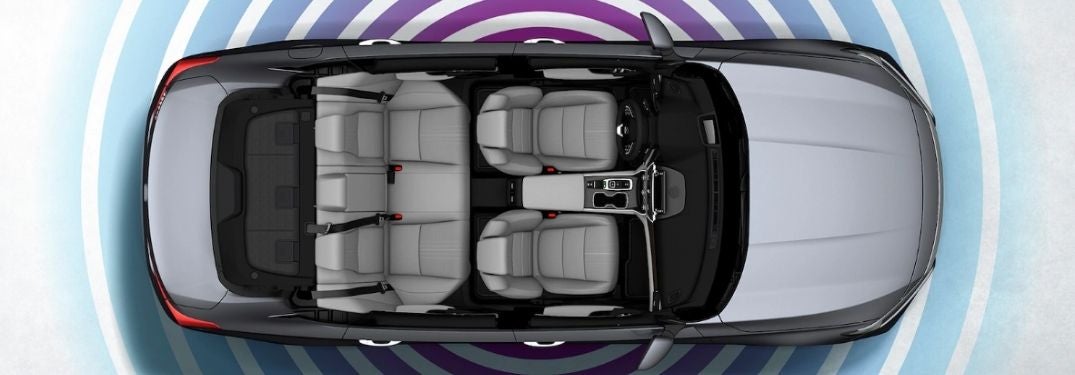
Overhead View of 2020 Honda Accord with Wi-Fi Signal Graphic

Step-By-Step Instructions to Set Up and Use the Honda Wi-Fi Hotspot

How To Connect to the Honda Wi-Fi Hotspot Did you know that select Honda models are available with an integrated Wi-Fi Hotspot? Avondale-area drivers with an AT&T data plan will gain access to a Wi-Fi Hotspot in select Honda trim levels. Families interested in access to onboard Wi-Fi can learn how to connect to the Honda Wi-Fi Hotspot with this step-by-step guide created by Earnhardt Honda. Explore our Phoenix Honda online inventory today to find a Honda car, truck, SUV or crossover with a Wi-Fi Hotspot!  WiFi access depends on the model year and trim level if shopping certified preowned Hondas be sure to ask which editions have it. A subscription is needed for WiFi to be active. Many 2024 Hondas come with a 3-month subscription to get you started. more READ MORE: How To Use Apple CarPlay™ and Android Auto™ in Your Honda How-To Guide to Honda Wi-Fi Mode Press the Home Button on the Touchscreen Display Select Settings Select Connections Select Wi-Fi Select Change Mode Choose Network or Hotspot Confirm Network or Hotspot Selection Select Network Options or Hotspot Options to Change Settings Select Connect Enter the Password for the Access Point

Bronze 2020 Honda Accord with City Skyline in the Background

2020 Honda Accord Features Honda Sensing® Safety Systems and Technology

What Are the 2020 Honda Accord Technology and Safety Features? Technology has become a primary focus of automakers with innovative safety systems, touchscreen infotainment technology and high-tech features that will upgrade your day-to-day ride. The 2020 Honda Accord is a fan favorite at Earnhardt Honda that is loaded with innovative technology. Drivers interested in the Honda Accord want to know – what are the 2020 Honda Accord technology and safety features? more READ MORE: What Are the Honda Sensing® Safety Features? Honda Sensing® Safety Systems Honda Sensing® is a suite of advanced driver-assistance systems that will help keep Avondale-area families safe on the road. The 2020 Honda Accord comes standard with Honda Sensing® technology that will add a Collision Mitigation Braking System™, a Road Departure Mitigation System, a Lane Keeping Assist System, Adaptive Cruise Control and Traffic Sign Recognition to the spec sheet. 8-Inch Display Audio Touchscreen Infotainment System Families who opt for the Honda Accord Sport, EX, EX-L and Touring trim levels will find an innovative 8-inch Display Audio touchscreen infotainment system. Equipped with Display Audio technology, the Honda Accord adds access to Apple CarPlay™ and Android Auto™ smartphone integration that will help keep you connected on family adventures. HondaLink® App No matter where you are, you can stay connected to your Honda Accord with the innovative HondaLink® app on your phone. Download HondaLink® on your smartphone and you will have remote access to your Honda that allows you to lock and unlock doors, check your fuel levels, start your Accord and much more. Wi-Fi Hotspot Wi-Fi is a key element of connectivity and the 2020 Honda Accord Touring trim level will help with an available on-board Wi-Fi Hotspot that is provided by AT&T. Drivers with an AT&T data plan who buy or lease a Honda Accord Touring will have access to the in-car Wi-Fi Hotspot that will help you stay connected at every turn. READ MORE: How To Use Apple CarPlay™ and Android Auto™ in Your Honda Are you looking for technology that will keep you safe and keep you connected on the road? The 2020 Honda Accord may be the right fit. This overview will help answer the question – what are the 2020 Honda Accord technology and safety features – with a list of high-tech highlights. Find a Honda Accord that fits your lifestyle and budget today when you visit the Earnhardt Honda online inventory!

Blue 2020 Honda CR-V in a Bridge Tunnel

Step-By-Step Instructions for Honda Sensing® Adaptive Cruise Control

How To Set and Use Honda Sensing® Adaptive Cruise Control Did you know that your Honda CR-V is equipped with Honda Sensing® safety systems? Adaptive Cruise Control is an element of the suite of Honda Sensing® systems that will allow you to set a speed and follow distance in traffic that is easy to adjust via controls on the steering wheel. Adaptive Cruise Control will monitor and automatically adjust the following distance at the set speed. Learn how to set and use Honda Sensing® Adaptive Cruise Control with this step-by-step guide. Find a Honda model equipped with Honda Sensing® and Adaptive Cruise Control today when you visit the Earnhardt Honda inventory! more READ MORE: What Are the 2020 Honda CR-V Safety Systems and Features? How-To Guide to Honda Sensing® Adaptive Cruise Control Press the MAIN Button on the Steering Wheel Press the SET/- Button When You Reach the Correct Speed Press the RES/+ and SET/- Buttons to Adjust Speed Up/Down by 1 MPH Press and Hold RES/+ and SET/- Buttons to Adjust Speed Up/Down by 5 MPH Press the Interval Button on the Steering Wheel to Adjust Following Distance Press CANCEL or MAIN to Cancel Adaptive Cruise Control

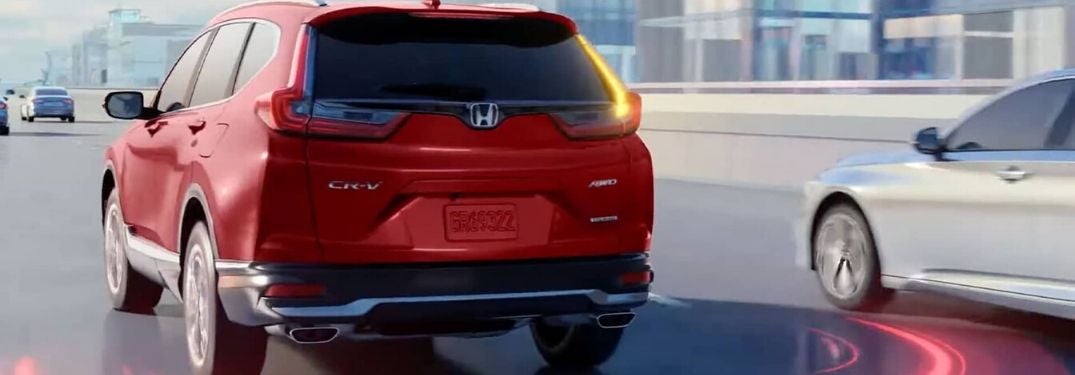
Red 2020 Honda CR-V on Freeway with Illustration of Rear Blind Spot Monitor

Safety Highlights the 2020 Honda CR-V with Honda Sensing® Systems and More

What Are the 2020 Honda CR-V Safety Systems and Features? Gear up for your next family road trip and get behind the wheel of the 2020 Honda CR-V at Earnhardt Honda. A popular compact crossover, the Honda CR-V is loaded with features that cater to your family. When families hit the road in the Valley of the Sun, safety is a top priority and many car shoppers want to know – what are the 2020 Honda CR-V safety systems and features? Take a closer look at how the 2020 Honda CR-V will keep you safe! more READ MORE: Available 2020 Honda CR-V Interior and Exterior Color Options? Standard Honda Sensing® Safety Systems Families who opt for the 2020 Honda CR-V will find standard Honda Sensing® safety technology in all trim levels. Honda Sensing® is a key element of safety and will add a Collision Mitigation Braking System™ with Forward Collision Warning, a Road Departure Mitigation System, Adaptive Cruise Control with Low-Speed Follow and a Lane Keeping Assist System. Armed with these intelligent safety systems, the Honda CR-V will help keep families safe. To upgrade your safety, the 2020 Honda CR-V is available with an impressive list of active and passive safety systems that will help provide you with peace of mind. Here is a quick breakdown of a few of the top safety features that you may find when you get behind the wheel of the Honda CR-V. Multi-Angle Rearview Camera Honda CR-V models come standard with a Multi-Angle Rearview Camera that will allow you to check your surroundings when you are backing out of the driveway. Not your run-of-the-mill backup camera, the Multi-Angle Rearview Camera will provide drivers with three angles to choose from – Normal, Top-Down and Wide. Blind Spot Information System with Cross Traffic Monitor The Blind Spot Information System with Cross Traffic Monitor is a standard feature for Honda CR-V EX, EX-L and Touring trim levels. A suite of sensors located in the rear bumper make up the Blind Spot Information System and will monitor traffic and alert you when a vehicle is in your blind spot. Cross Traffic Monitor will detect vehicles approaching from the side when you are in reverse – perfect for when you are in a crowded parking lot. Automatic LED Headlights Honda CR-V Touring trim levels will amp up your safety with automatic LED headlights. With this feature, you will not have to worry about remembering to turn your lights on when it starts to get dark. This feature will automatically turn on your headlights as the sun starts to go down. Rain-Sensing Windshield Wipers Do you have a hard time finding the right speed for your windshield wipers when it rains? Available rain-sensing windshield wipers will help eliminate that risk with technology that will sense the amount of rainfall on your windshield and adjust the wiping frequency to match the severity of the weather. Rain-sensing windshield wipers allow you to keep your eyes on the road in bad weather. READ MORE: What Are the 2020 Honda CR-V Hybrid Engine and MPG Specs? Are you looking for a safe, family-friendly crossover? The Honda CR-V may fit the bill and you may want to know – what are the 2020 Honda CR-V safety systems and features? Visit the Earnhardt Honda inventory to find a Honda car, truck or crossover with innovative features that will help keep you safe!

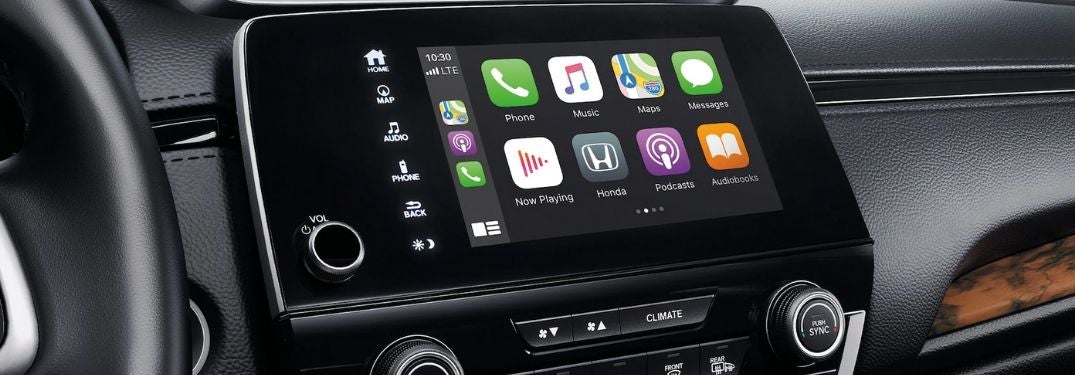
Close Up of Apple CarPlay in a 2020 Honda CR-V

Step-By-Step Instructions to Set Up and Use Apple CarPlay™ and Android Auto™ in a Honda

How To Use Apple CarPlay™ and Android Auto™ in Your Honda Are you and your family new to the Honda brand? Are you still learning how to use all of the features and technology in your 2020 Honda CR-V? Earnhardt Honda is here to help. Available with Apple CarPlay™ and Android Auto™ smartphone integration, many Honda models can keep you connected to your favorite mobile apps, media and services via the Honda Display Audio touchscreen display when equipped. Learn how to use Apple CarPlay™ and Android Auto™ in your Honda with this step-by-step guide. Search the Earnhardt Honda online inventory today to find a Honda model equipped with Apple CarPlay™ and Android Auto™! more How To Connect to Honda Display Audio with Bluetooth Step-By-Step Instructions to Use Apple CarPlay™ in Your Honda Update Your Apple iPhone Software Connect Your iPhone to the Display Audio System via an Apple-Approved Cable Start Your Honda and Access the Display Audio Home Screen Choose – Enable Once, Always Enable or Cancel Select the Apple CarPlay™ Menu Press and Hold the TALK Button to Use Siri® Voice Commands Use the Apple CarPlay™ Menu to Make Phone Calls, Access Apple Maps and More Step-By-Step Instructions to Use Android Auto™ in Your Honda Update Your Smartphone Software Download the Android Auto™ App on Your Smartphone Pair Your Smartphone with Bluetooth® HandsFreeLink Connect Your Smartphone to Display Audio with a USB Cable Start Your Honda and Access the Display Audio Home Screen Choose – Enable Once, Always Enable or Cancel Complete the Android Auto™ Tutorial Access the Android Auto™ Home Screen Press and Hold the TALK Button to Use Google Assistant Use the Android Auto™ Menu to Access Phone, Text, Media and Navigation

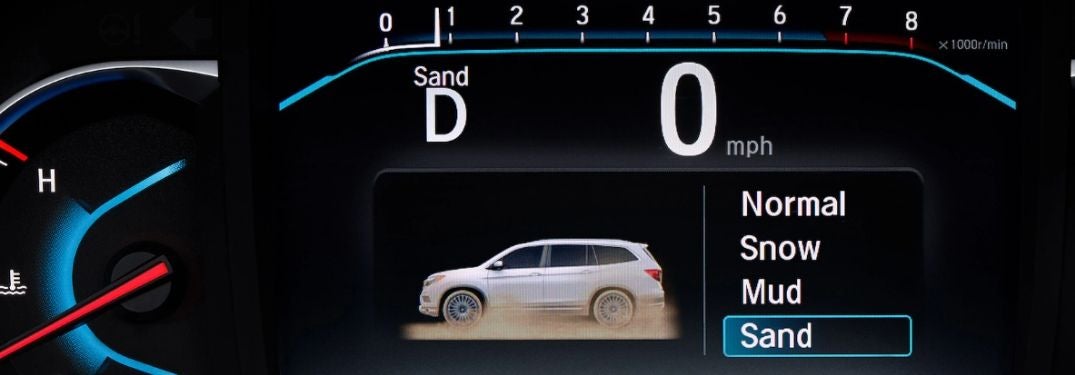
Close Up of Honda Pilot Information Display with Intelligent Traction Management Terrain Modes

Step-By-Step Instructions To Use Honda Intelligent Traction Management

How To Use the Honda Intelligent Traction Management System Gear up for your next family adventure in a new Honda Pilot equipped with Real Time AWD™ and the Intelligent Traction Management System. Armed with Intelligent Traction Management, you can tailor performance to the terrain with a trio of driver-selectable terrain modes – Snow, Mud and Sand – in Honda Pilot AWD models. Front-wheel drive Honda Pilot models provide drivers with Snow Mode. Learn how to use the Honda Intelligent Traction Management System in your Honda vehicle with this step-by-step guide created by Earnhardt Honda and a how-to video supplied by Honda. Visit the Earnhardt Honda inventory today to find a Honda car, truck or crossover equipped with Intelligent Traction Management! more What Are the Honda Sensing™ Safety Features and Systems? Step-By-Step Instructions for Honda Intelligent Traction Management Put Your Honda Vehicle in Park Press the Snow Button on the Center Console (2WD Models) Press the Honda Vehicle Icon Button on the Center Console (AWD Models) Press the Button on the Center Console to Cycle Modes Selected Drive Modes Will Appear on the Driver Information Interface Terrain Modes Remain Engaged Until a Different Mode is Chosen or the Vehicle Restarts https://www.youtube.com/watch?time_continue=5&v=-GwniNBnxjY&feature=emb_logo

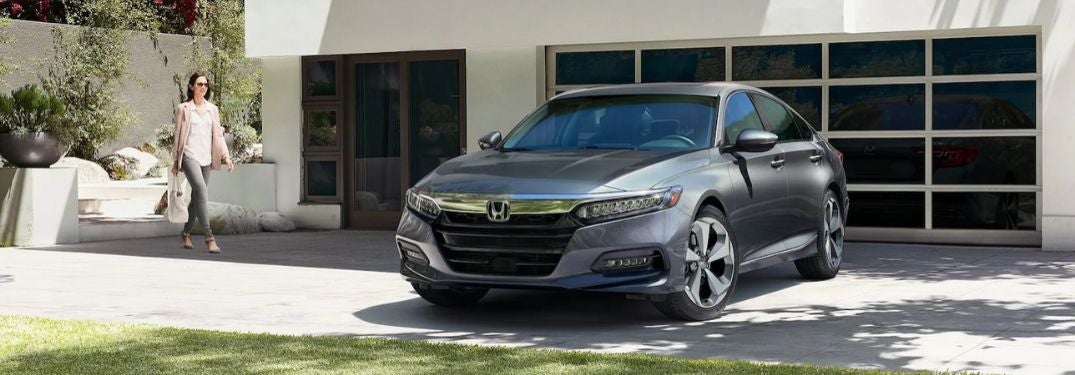
Gray 2020 Honda Accord in Driveway with Woman

Step-By-Step Instructions to the Honda Accord Smart Entry with Walk Away Auto Lock® Feature

How Does Honda Smart Entry with Walk Away Auto Lock® Work? Add convenience to your day-to-day commute with the available Honda Smart Entry with Walk Away Auto Lock® feature. When equipped with this feature, Smart Entry with Walk Away Auto Lock® will allow you to lock, unlock and start your 2020 Honda Accord without ever taking your Honda key fob out of your pocket or purse. Walk Away Auto Lock® capabilities are accessible via the Display Audio touchscreen infotainment system and will automatically unlock your car doors when you get within eight feet and will automatically re-lock the doors when you leave that eight-foot area. Learn how to use this feature and get answers to the question – how does Honda Smart Entry with Walk Away Auto Lock® work – with this quick how-to guide and video. Visit the Earnhardt Honda inventory today to find a Honda car, truck or crossover equipped with the Smart Entry with Walk Away Auto Lock® feature! more READ MORE: How To Connect Honda Display Audio with Bluetooth How To Set Up Honda Walk Away Auto Lock® Put Your Honda in Park Select Settings on the Display Audio Home Screen Select Vehicle and Door/Window Setup Select Walk Away Auto Lock® Toggle Walk Away Auto Lock® to ON Select Save

Blue 2020 Honda CR-V Driving in the Desert

Honda Models in Phoenix Area Feature Real Time AWD with Intelligent Control System™

How Does the Honda Real Time AWD™ System Work? Do you love to get a little mud on the tires and take the road less traveled on your family adventures? Armed with available Honda Real Time AWD™, many vehicles in the Honda model lineup will deliver exceptional performance at every turn. No matter what kind of weather you are faced with, the 2020 Honda CR-V equipped with Real Time AWD™ will provide the safe and reliable drive that you need and many drivers interested in the Honda brand want to know – how does the Honda Real Time AWD™ system work? Find out with this quick overview by Earnhardt Honda! more READ MORE: What Are the Honda Sensing® Safety Systems and Features? Which Honda Models Are Available with Honda Real Time AWD™? Are you looking for an all-wheel drive Honda truck or crossover? Families who live in the Phoenix area and are interested in a Honda all-wheel drive vehicle want to know – which Honda models are available with Honda Real Time AWD™? Honda vehicles that are available with Real Time AWD™ on all or select trim levels include the 2020 Honda HR-V, 2020 Honda CR-V, 2020 Honda Passport, 2020 Honda Pilot and the 2020 Honda Ridgeline midsize pickup truck. 2020 Honda HR-V – Available for LX, Sport, EX and EX-L Trims – Standard for Touring Trims 2020 Honda CR-V – Available for All Trims 2020 Honda Passport – Available for Sport, EX-L and Touring Trims – Standard for Elite Trims 2020 Honda Pilot – Available for LX, EX, EX-L and Touring Trims – Standard for Elite and Black Edition Trims 2020 Honda Ridgeline – Available for Sport and RTL Trims – Standard for RTL-E and Black Edition Trims Honda Real Time AWD™ Details, Features and Specs Do you love to know what makes your Honda Pilot tick? Do you want to know – how does the Honda Real Time AWD™ system work? To provide drivers with all-weather control and traction, Real Time AWD™ employs an innovative Intelligent Control System to provide improved traction in any climate. The Real Time AWD™ system is an electronic feature that will monitor and control torque distribution to improve traction and performance. When the system detects increased acceleration or hilly terrain, it will divert additional torque to the rear wheels to prevent loss of traction. Armed with an array of sensors to monitor traction, when the Real Time AWD™ system detects a loss of traction due to inclement weather and road conditions, the system will react in seconds to redirect torque and regain traction. To ensure that your Honda vehicle provides a dynamic performance, the Real Time AWD™ feature will redistribute torque from the front to the rear axle when cornering to ensure you maintain control. Intelligent Traction Management is available to select Honda Passport, Honda Pilot and Honda Ridgeline models to improve performance with four terrain drive modes – Normal, Snow, Sand and Mud. READ MORE: How To Connect to Honda Display Audio with Bluetooth How does the Honda Real Time AWD™ system work? Find out how Honda models equipped with Real Time AWD™ will improve performance when you are faced with inclement weather. Explore the Earnhardt Honda inventory today to find a Honda vehicle that is equipped with Real Time AWD™ in Avondale!

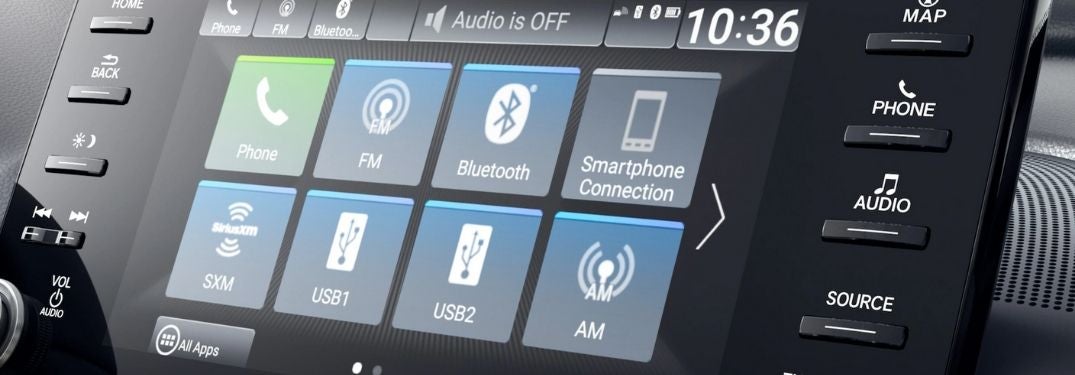
Close Up of 2020 Honda Accord Display Audio Touchscreen

Step-By-Step Instructions To Pair Your Smartphone with Honda Display Audio Bluetooth

How To Connect to Honda Display Audio with Bluetooth Are you the proud owner of a 2020 Honda Accord? Are you new to the Honda brand and the Display Audio touchscreen infotainment system? With Bluetooth capabilities, the Honda infotainment system allows you to connect your smartphone or mobile device and play music, make phone calls, receive text messages and more via the touchscreen display. Learn how to connect to Honda Display Audio with Bluetooth in this quick step-by-step guide. Visit the Earnhardt Honda inventory today to find a Honda car, truck or crossover that will meet your specifications! more READ MORE: What Are the 2020 Honda Accord Interior and Exterior Color Options? How To Pair Mobile Phones to Honda Display Audio and Bluetooth Make Sure Your Smartphone is Compatible with Honda Display Audio Put Your Honda Vehicle in Park with Ignition On Enable Bluetooth on Your Smartphone Press the Home Button on the Display Audio Touchscreen Select Phone on the Menu Select Connect Phone on the Menu Select Connect New Device Select Your Smartphone When It Appears OR Search for HandsFree Link on Your Smartphone Confirm the Bluetooth Pairing Code Select Functions Save

Contact Us

Fill out this form below and we'll contact you shortly
*Required Fields